How to blind transfer the call?
Another very simple function, when we would like to transfer the call to an other destination, to an other client, there are several ways to do this, for example we can transfer the call with BlindTransfer().
Using BlindTransfer() during a call, the third party's phone starts to ring, like it would be dialled first, and not ours. When the third party answers the call, we are stepping out from that.
if (call != null && !string.IsNullOrEmpty(destination))
{
	call.BlindTransfer(destination);
}
Call flow diagram
The diagram below illustrates a full SIP Blind transfer call flow.
Capture SIP BlindTransfer traffic with Wireshark
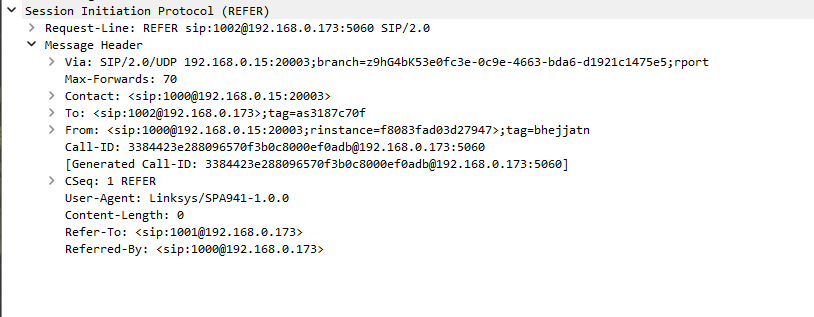
SIP Blind Transfer Refer PDU
A SIP Blind Transfer Refer PDU is the SIP REFER request sent by the transferring endpoint to instruct the remote party to call a new target without further involvement from the transferor. It carries a Refer-To header containing the URI of the destination number, and reuses the existing dialog identifiers like Call-ID and To/From tags so the transfer operation is bound to the active call. In the softphone, this PDU is generated by the blind transfer logic, which hands control of the call over to the REFER mechanism while the transferor prepares to step out.
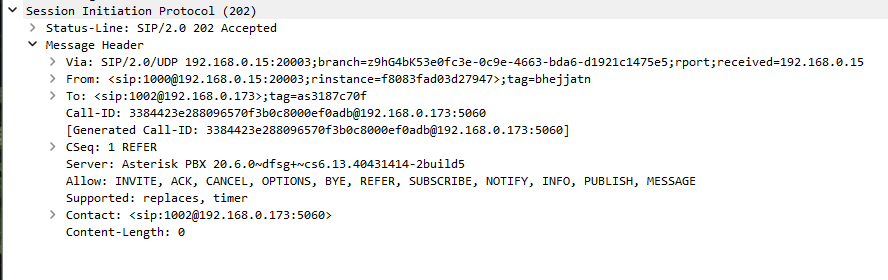
SIP Blind Transfer Accept PDU
A SIP Blind Transfer Accept PDU is the 202 Accepted response sent back to the REFER, indicating that the remote endpoint or PBX has accepted responsibility for attempting the blind transfer. It confirms the REFER transaction by echoing headers such as Call-ID, CSeq, and the appropriate To/From tags, ensuring that the transfer request is now in progress. After this PDU, the softphone expects further notifications about the status of the new call leg, rather than directly controlling the media or signaling of the transfer target.
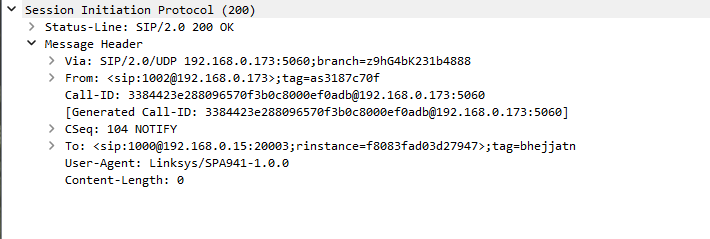
SIP Blind Transfer Notify PDU
A SIP Blind Transfer Notify PDU is the NOTIFY message sent from the REFER target side to report progress and final outcome of the blind transfer attempt. Its body typically contains a SIP fragment with a status code (for example 100 Trying, 180 Ringing, or 200 OK) that describes how the new call leg is progressing. This PDU lets the transferring endpoint track whether the blind transfer succeeded or failed, even though it no longer drives the actual INVITE signaling toward the destination.
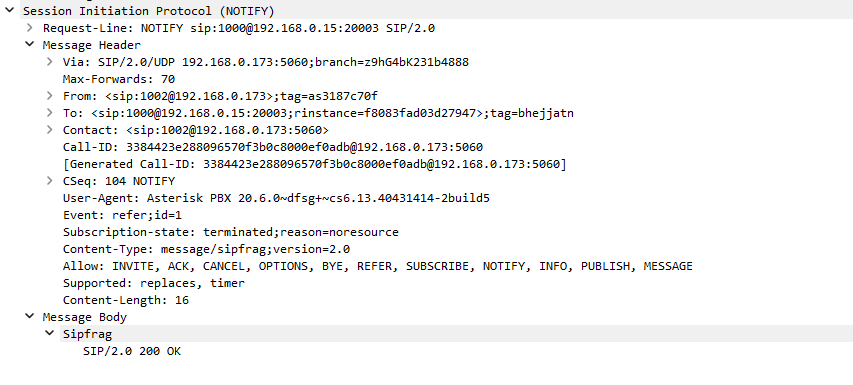
SIP Blind Transfer OK Notify PDU
A SIP Blind Transfer OK Notify PDU is the final NOTIFY carrying a successful 200-class status, indicating that the blind transfer has completed and the caller is now connected to the new destination. It includes a Subscription-State header showing that the REFER subscription can be terminated, and a body with a 200 OK status for the transferred call. Once this OK Notify is received, the softphone treats the transfer as complete and can safely release its own view of the original call leg.
SIP Blind Transfer Bye PDU
A SIP Blind Transfer Bye PDU is the BYE request the transferring endpoint or PBX sends to tear down its own leg of the call after a blind transfer has succeeded or is no longer needed. It uses the existing Call-ID, dialog tags, and a new CSeq value to close the session between the transferor and the remote party cleanly. In the softphone implementation, this BYE corresponds to the moment when the transferor fully steps out of the conversation, leaving media flowing only between the original caller and the transferred destination.
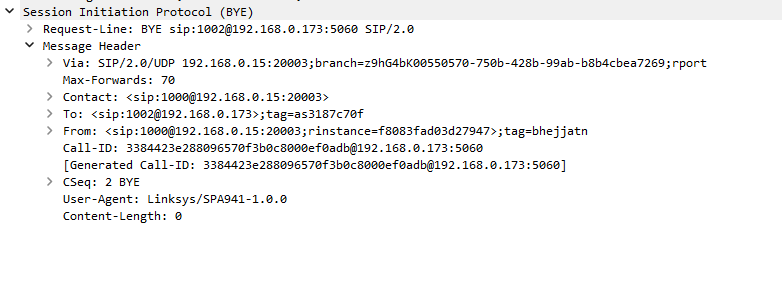
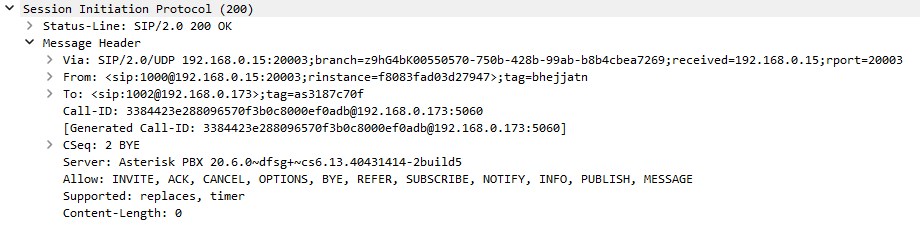
SIP Blind Transfer OK Bye PDU
A SIP Blind Transfer OK Bye PDU is the 200 OK response confirming that the BYE related to the blind transfer leg has been processed and that this dialog is now terminated. It matches the BYE using the same Call-ID and CSeq, and echoes the To/From and Via headers to complete the transaction. After receiving this OK Bye, all signaling and media resources associated with the transferor’s leg are released, and only the new, transferred call remains active in the system.