


Features
- OS:Windows 11,10,8,7,Vista,20xx,XP
- Visual Studio 2015, 2013, 2010, 2008
- .NET Framework 4.5.2 or newer
- 1 GHz CPU
- 1 GB RAM
- 200 MB free disk space
Supported Protocols: The following protocols are implemented for Voice Over IP (VoIP) communication
Compatible PBXs: Ozeki VoIP SIP SDK is compatible with leading PBX systems
Specifications
The following tools will save you a lot of time and effort if you develop a telephone solution
Ozeki VoIP SDK is compatible with a wide range of VoIP service providers. Step-by-step configuration guides can be found here:
Download and install the trial version of Ozeki VoIP SIP SDK to test its functions. The demo comes with 56 VoIP SIP example projects which lets you evaluate the functionality.
The demo version has no limitations in the number of simultaneous VoIP SIP phone calls. After the 4th call, one of every four calls plays a "trial-version" message.
The trial version comes with a fully-functional SIP softphone demo program. It can be used and redistributed for free. Feel free to download and modify the SIP softphone's source code.
You only need to buy the software license once and you can use it forever. You can request a quotation here. You can also find our FAQ on licensing here.
Trial version can be easily upgraded with your purchased license to full version without any uninstallation. Read more here.
Documentation
The following tutorials help you get started in specific areas
Useful information organized into tables:
Ozeki VoIP SIP SDK implements the following standards:
RFC 2833 - RTP Payload for DTMF digitsRFC 3261 - Session Initiation Protocol
RFC 3263 - SIP: Locating SIP Servers
RFC 3264 - SDP: Offer/Answer Model
RFC 3265 - SIP Event Notification
RFC 3420 - Internet message/sipfrag
RFC 3428 - SIP Instant Messaging
RFC 3489 - STUN: UDP through NATs
RFC 3515 - SIP Refer Method
RFC 3550 - Real-time Transport Protocol
RFC 3551 - RTP Audio/Video Conference
RFC 3587 - IPv6 Global Unicast
RFC 3666 - SIP, PSTN, Call Flows
RFC 3725 - Best Practices for Call Control
RFC 3842 - Message Waiting Indication
RFC 3856 - Presence Events in SIP
RFC 3891 - The SIP Replaces Header
RFC 3892 - SIP Referred-By Mechanism
RFC 3920 - XMPP: Messaging and Presence
RFC 4566 - Session Description Protocol
RFC 5411 - A Hitchhiker's Guide to the SIP
Example projects
SIP softphone examples
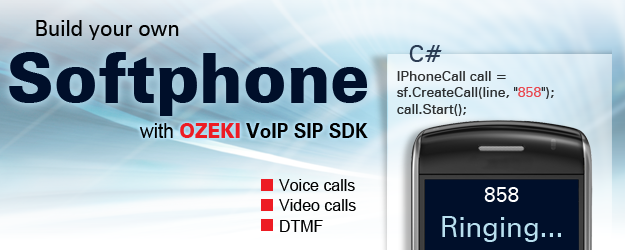
This demo shows how you can develop a simple SIP softphone for audio VoIP SIP phone calls easily.
This demo show how to create a console application SIP softphone, which is able to register to a PBX.
This demo shows how you can control multiple simultaneous calls with your SIP softphone.
These demos shows the usage of the advanced SIP softphone features provided by Ozeki VoIP SDK.
This demo shows how you can develop a SIP softphone with automated dialing and call status handling.
PBX, Call center, IVR codes
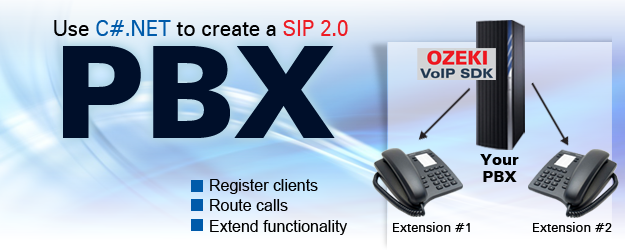
This demo shows how you can develop a simple PBX system with the basic features.
This demo shows how you can develop a more complex PBX system with advanced features.
This demo shows how to create a simple call center server with simple call distribution.
This demo shows how to create an advanced call center server with a more complex call distribution algorithm.
This demo shows how you can create an IVR (interactive voice response) system with Ozeki VoIP SIP SDK.
Webphone & Mobile codes
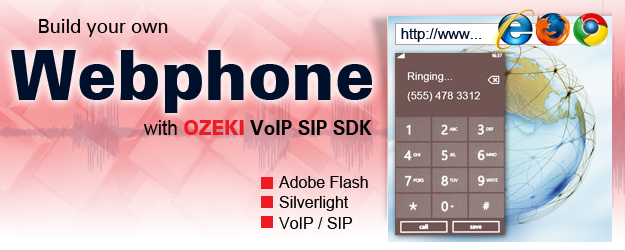
This demo shows how you can create an Adobe Flash webphone with Ozeki VoIP SIP SDK.
This demo shows how you can create a Silverlight webphone with Ozeki VoIP SIP SDK.
This demo shows how you can develop your own VoIP application for Android clients.
This demo shows how you can develop your own VoIP application for iPhone or iPad (iOS) clients.
This demo shows how you can develop your own VoIP application for Windows Mobile clients.
Training
BEGINNER
Getting started
Downloading VoIP SIP SDK
Installation steps
PBX configuration
Examples with source code
INTERMEDIATE
VoIP technology walkthrough
SIP softphone development
Webphone development
Mobile development
Voice recording
GETTING AROUND
Sitemap
Search the manual
API documentation
FAQ
Acknowledgements